Data management
The first step towards kicking off a project in Robovision AI is adding data. Data can be added to Robovision AI in the following ways:
- Imported from your local storage.
- Transferred from another Robovision AI platform.
- Recorded if your algorithm type supports data recording.
- Recorded during inference.
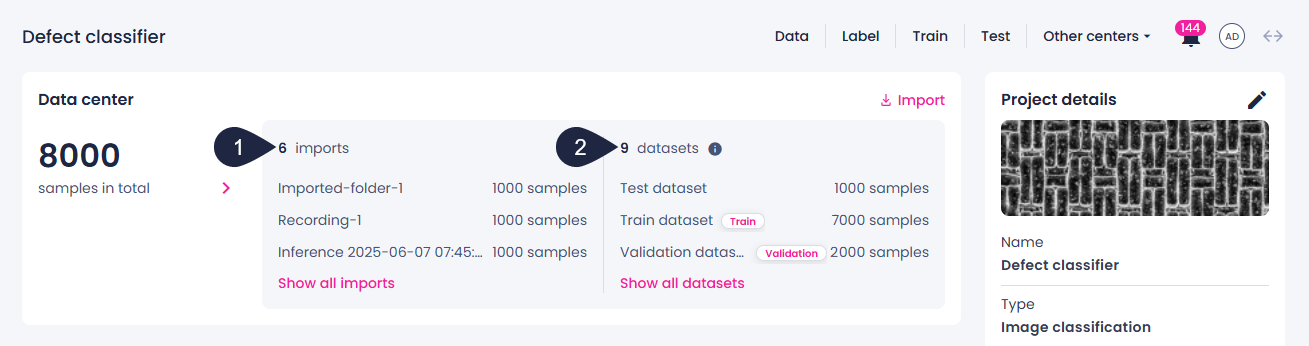
Samples imported from your local storage, transferred from another platform, and recorded are called imports and are displayed as data folders on the project details page.
Once you have imported your data and labeled it, you can create datasets. Datasets, as opposed to imported data, are deliberately organized and curated collections of samples and annotations in Robovision AI. They're all about making data useful for algorithms to learn from or be tested on. Datasets are created in the label or data center.
You can see a short list of your imports (1) and datasets (2) on the project details page.
For more information about managing your data, see the corresponding section: