Delete recording sessions
When a recording session is no longer needed, you can delete it permanently to clean up storage and streamline data management.
Note
Deleting a session will also erase all data recorded during it, so be sure to download or back up any important information beforehand.
To delete a recording session
- On the project details page or in the recording center, locate the necessary recording session.
- Next to the recording name, click the ellipsis button.
-
Select Delete recording session with its recordings.
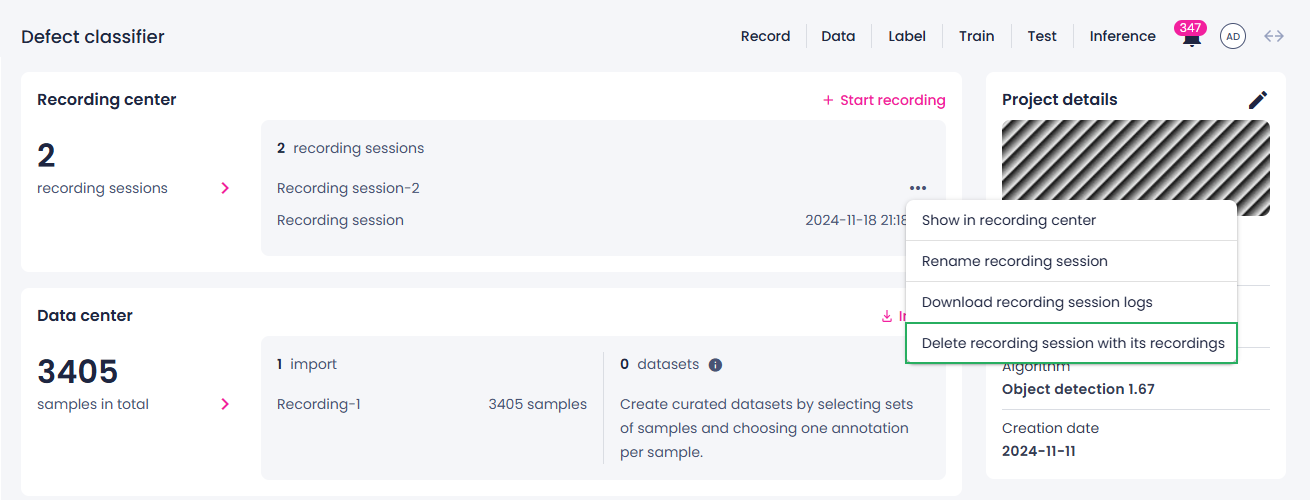
The recording session disappears from the Recording center section and the recorded data—from the Label center section.