Test API inference
Once you have set up and started an API inference, you can test it directly using the interactive API schema (Swagger UI). This allows you to verify that your inference is working correctly before integrating it into your production system.
The API schema provides a user-friendly interface where you can:
- Explore available endpoints.
- Upload test images.
- View prediction responses in real-time.
- Understand the request and response formats.
Prerequisites
- Your inference must be running with the Healthy status.
- The API schema link appears only after the inference has started successfully.
To test your API inference
- On the project details page, navigate to the Inference center section.
- Click the right-arrow button (
 ) to open the inference details page.
 -
Locate the running inference you want to test.
The inference status must be Healthy before you can test it.
-
In the API details section, find the API schema link.
-
Click Copy link next to the API schema field.
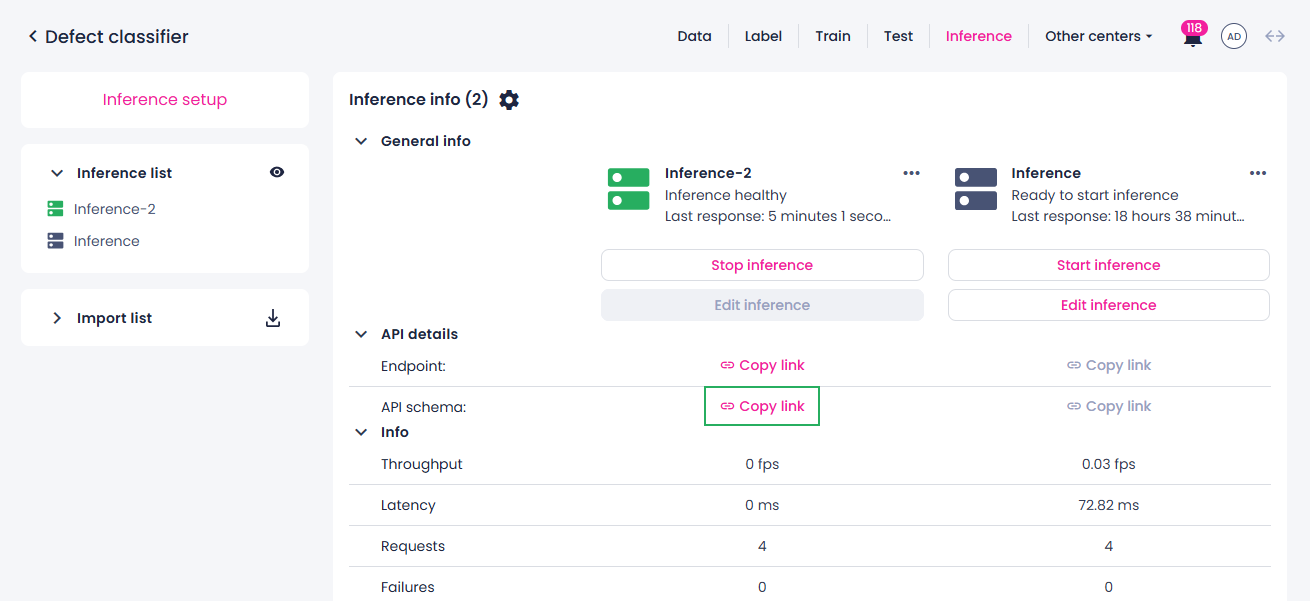
-
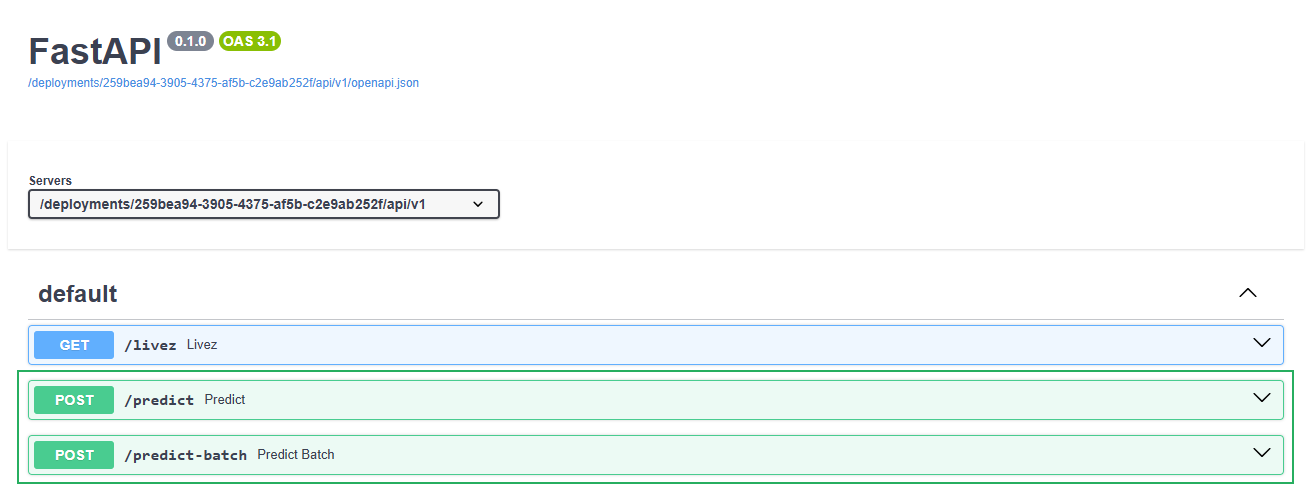
Open a new browser tab and paste the copied link into the address bar.
The Swagger UI opens, displaying the available API endpoints.
-
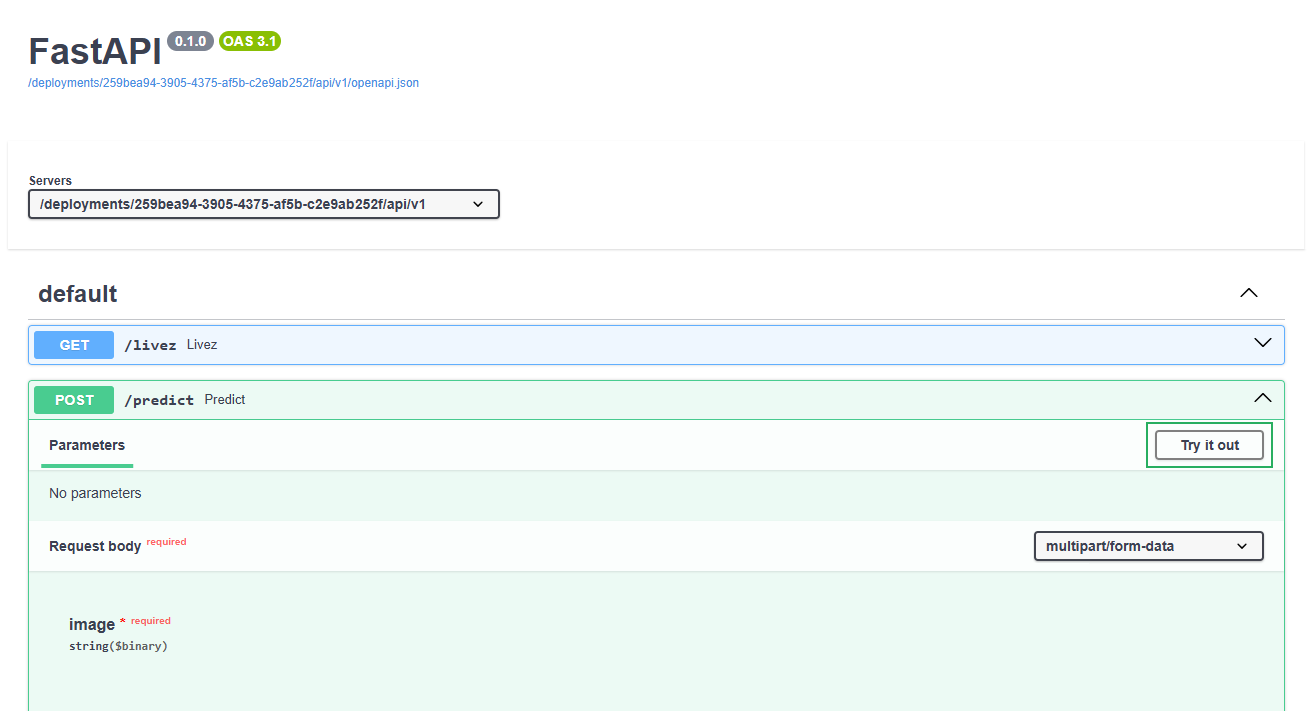
Expand the POST /predict endpoint.
-
Click Try it out to enable the interactive testing interface.
-
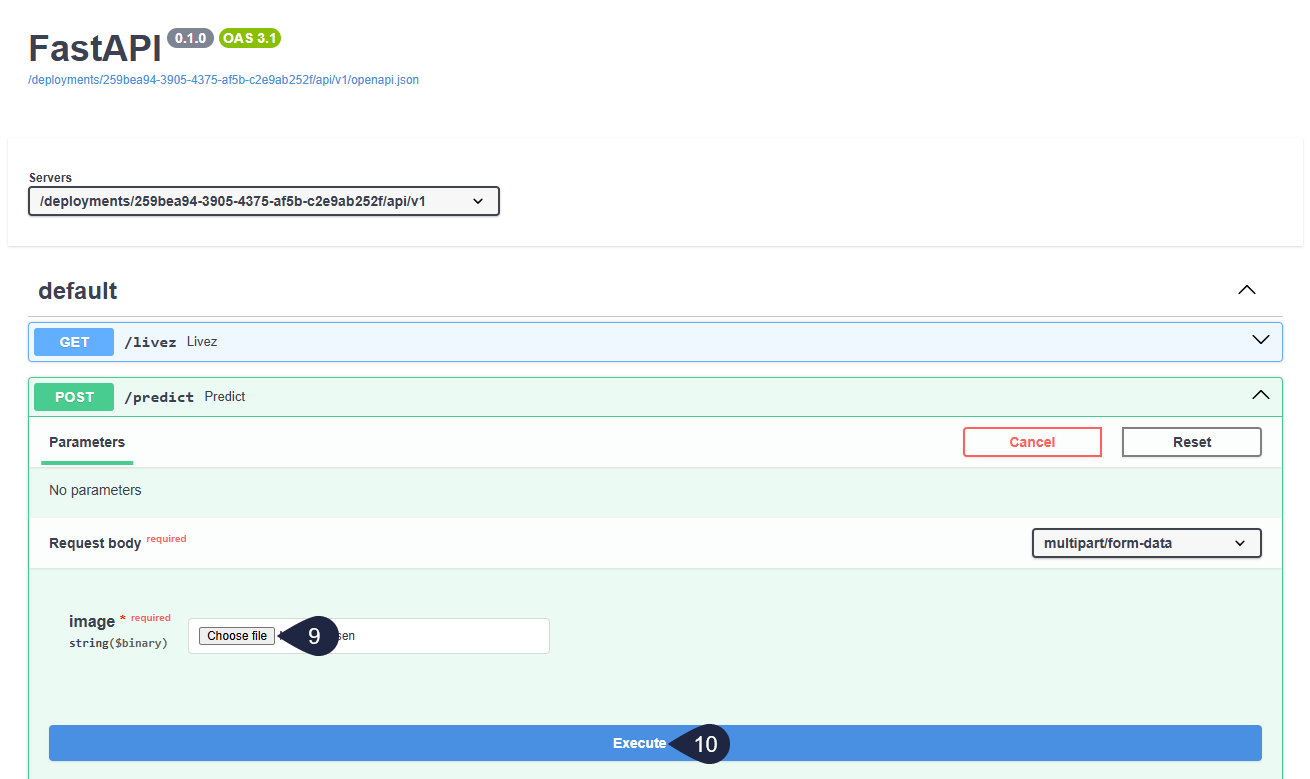
In the Request body section, click Choose file and select an image from your local storage.
-
Click Execute to send the image to your inference endpoint.
The response appears below, showing:
- The HTTP response code (200 indicates success).
- The prediction results in JSON format.
- Response headers and execution time.
Note
For AI-ADC projects, you can upload multiple images. To do this, use the POST /predict-batch endpoint instead of /predict.
Understanding the response
The prediction response format depends on your project type:
- Image classification: Returns the predicted class and confidence score.
- Multilabel classification: Returns multiple predicted classes with confidence scores.
- Object detection: Returns bounding box coordinates, class labels, and confidence scores for detected objects.
- Segmentation: Returns segmentation masks in RLE (Run-Length Encoding) format along with class labels.
For detailed information about response formats for each project type, refer to the API schema documentation.
What's next?
- Visualize inference results using Python scripts.
- Monitor inference to track performance and resource usage.