View inference details
The inference detail page shows the saved configuration for an inference and, when the inference is running, its API connection details.
To open the inference detail page
- On the project details page, navigate to the Inference center section.
-
Click the name of the inference you want to view.
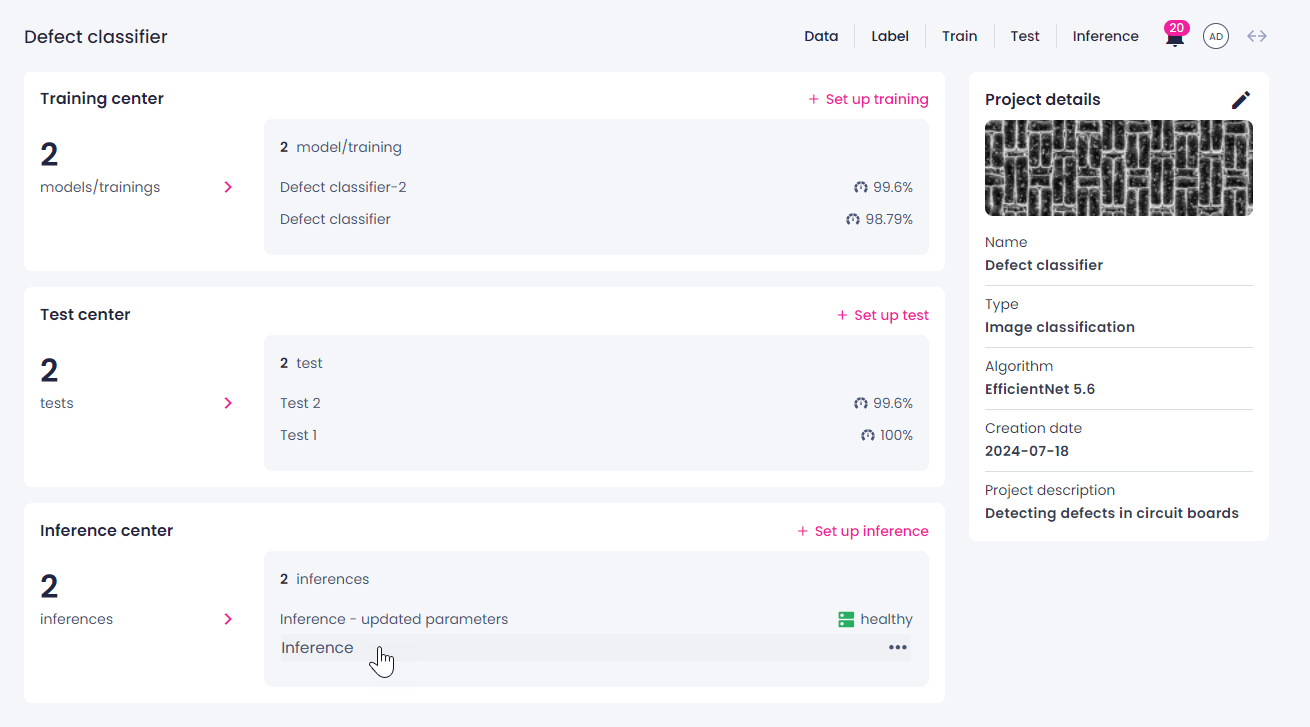
The inference detail page opens, showing the saved configuration for the selected inference.
Inference info
The inference detail page shows the following inference info.
| Section | Description |
|---|---|
| General info | Shows the inference name and current status. |
| API details | Available when the inference status is Healthy. Shows the Endpoint URL and a link to the API schema.
|
| Info | Shows runtime metrics: Throughput, Latency, Requests, and Failures. |
| Configuration | Shows the configuration settings, including the inactive time before shutdown and the number of requested instances. |
| Model | Shows the model used for the inference, its version, and the date it was trained on. |
| Inference parameters | Shows the inference parameters configured for this inference. The available parameters depend on the algorithm. |
| Area measurement | Available for YOLOv8+ instance segmentation and PIDNet semantic segmentation only. Visible only when Detection size measurement is Yes. Lists all thresholds configured for the inference. Each threshold appears as a collapsible item labeled with the threshold name, expanded by default. Collapse or expand a threshold to see:
|
| Sampling parameters | Shows the sampling configuration: Random sampling, Confidence-based sampling, and Class-based sampling settings. Also shows the key-value metadata pairs configured for recorded samples. |