Delete inference
You can delete the inference that you no longer need.
Note
If the inference is running, you must stop it first.
To delete the inference
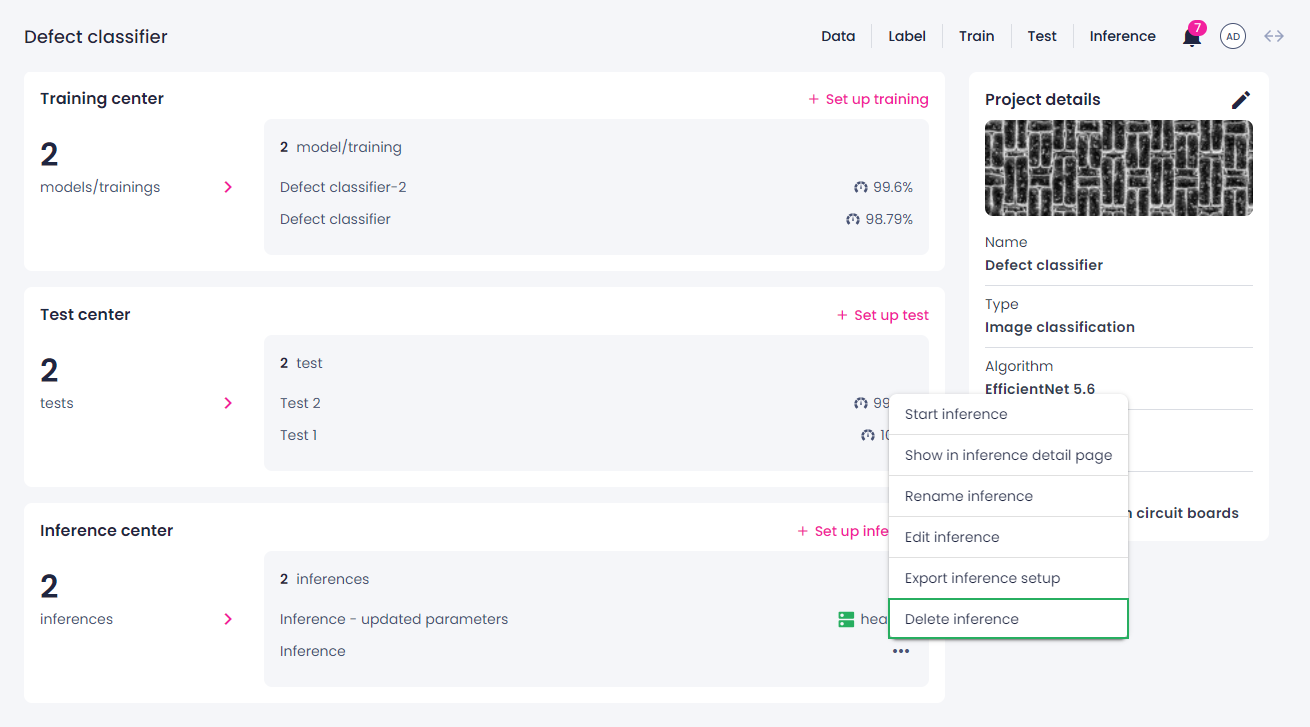
- In the Projects module, click the needed project, and then navigate to the Inference center or Camera inference center section.
- Hover over the inference that you want to delete, and then click the ellipsis button.
-
Select Delete inference.
-
In the confirmation dialog, click Confirm.