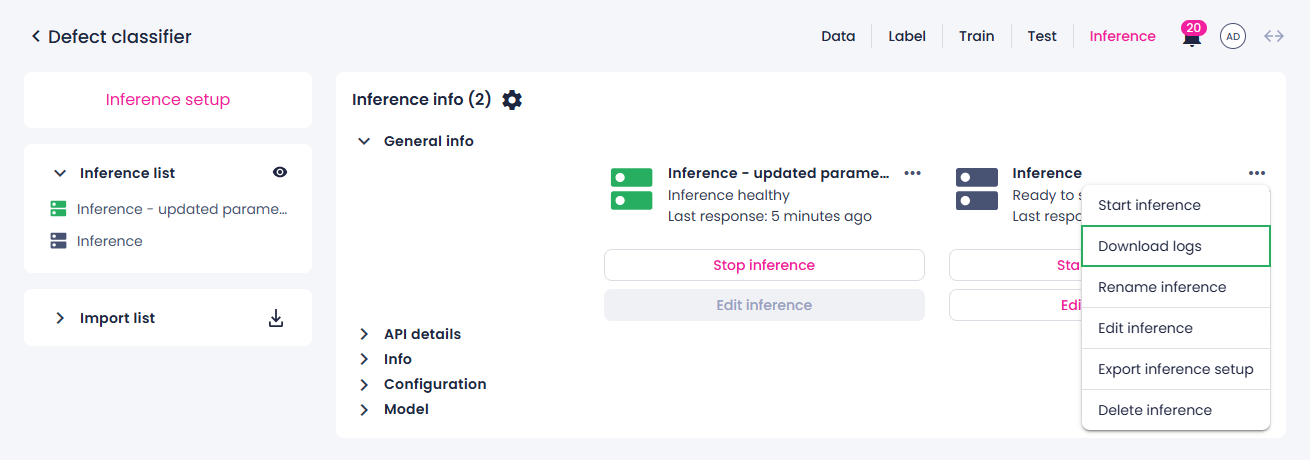
Download inference logs
You can download the logs of a running, finished, or stopped inference. These logs are updated every minute, and you can download them anytime. Inference logs will not be available if:
- Inference setup was saved but never started.
- Inference was started, but then stopped within the first minute of its first run.
Inference logs are downloaded as a ZIP file. If the inference was manually stopped and restarted, or if it automatically recovered after a failure, the ZIP file will include all logs from every run, not just the most recent one.
To download the inference logs
- Go to the Projects module, and then click the name of the necessary project.
-
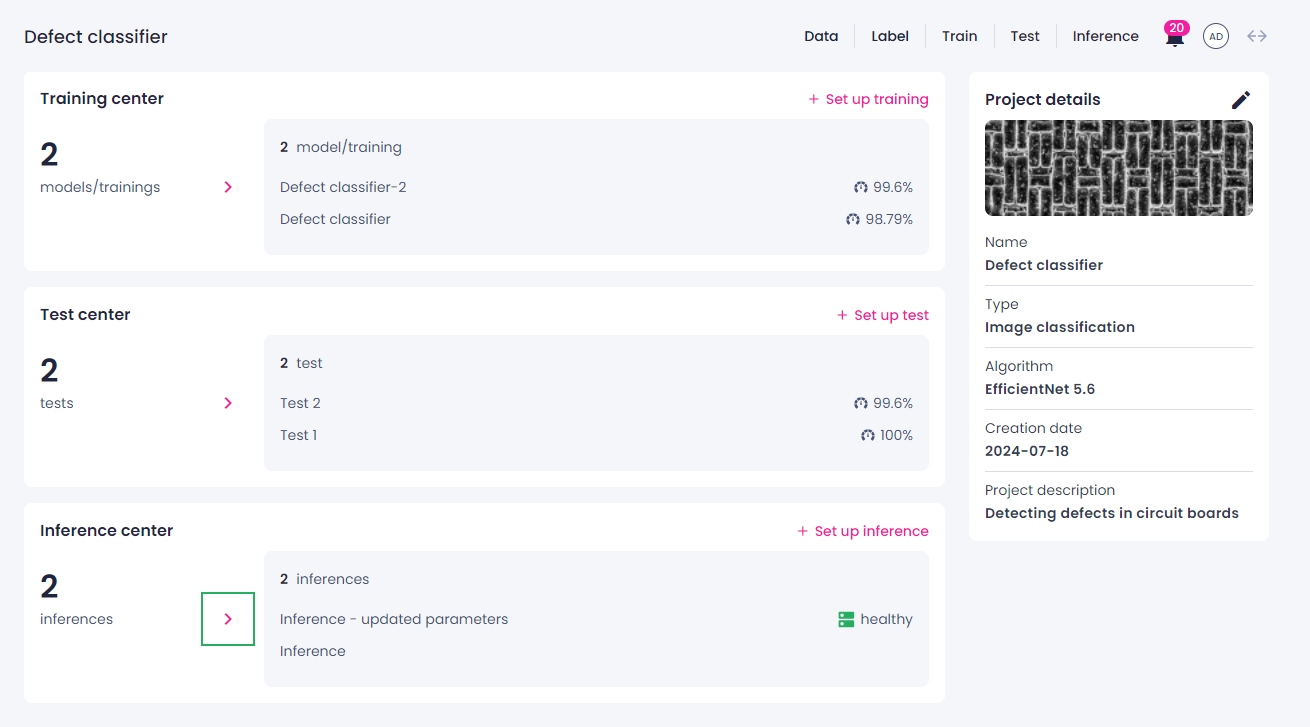
Open all inferences by clicking the right-arrow button (
 ) in the needed section:
- Camera inference center section – for direct camera inferences.
- Inference center section – for API inferences.
-
On the inference details page, locate the needed inference.
-
Next to the inference name, click the ellipsis button, and then select Download logs.