Edit inference
You can only edit the inference that is not queued, preparing, or running.
To edit the inference
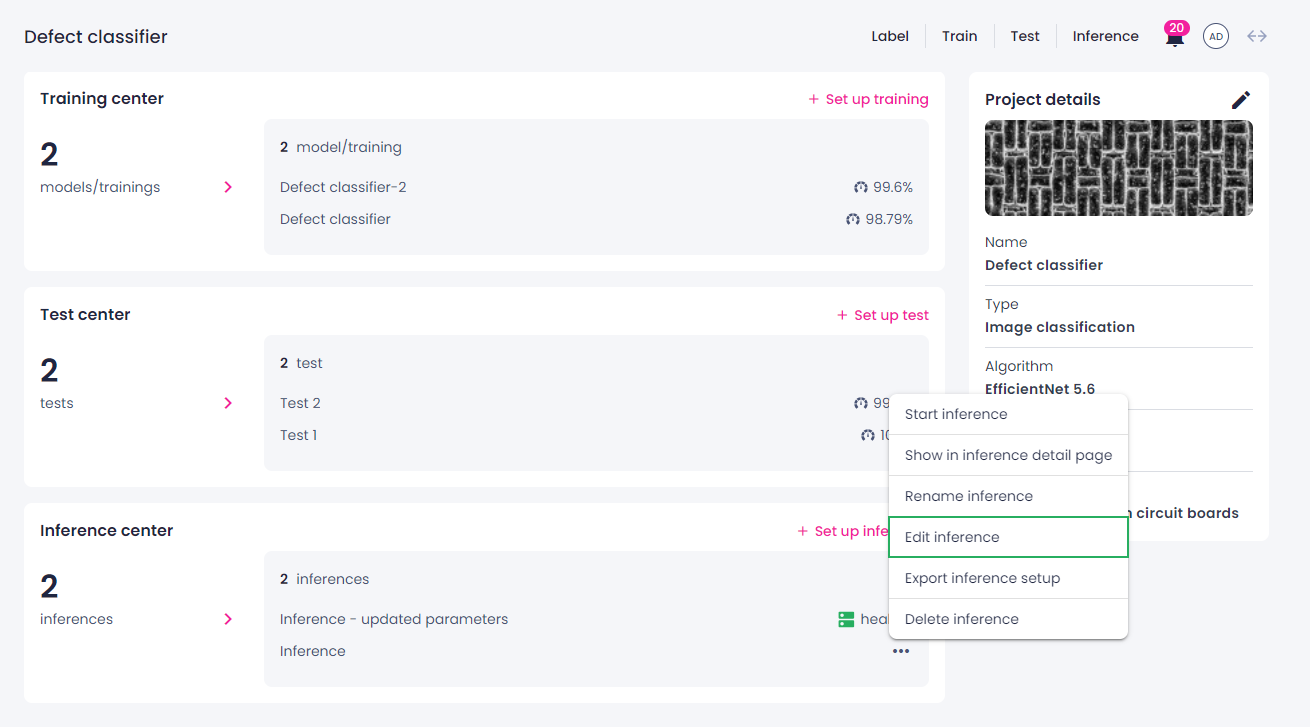
- In the Projects module, click the needed project, and then navigate to the Inference center or Camera inference center section.
- Hover over the inference that you want to edit, and then click the ellipsis button.
-
Select Edit inference.
-
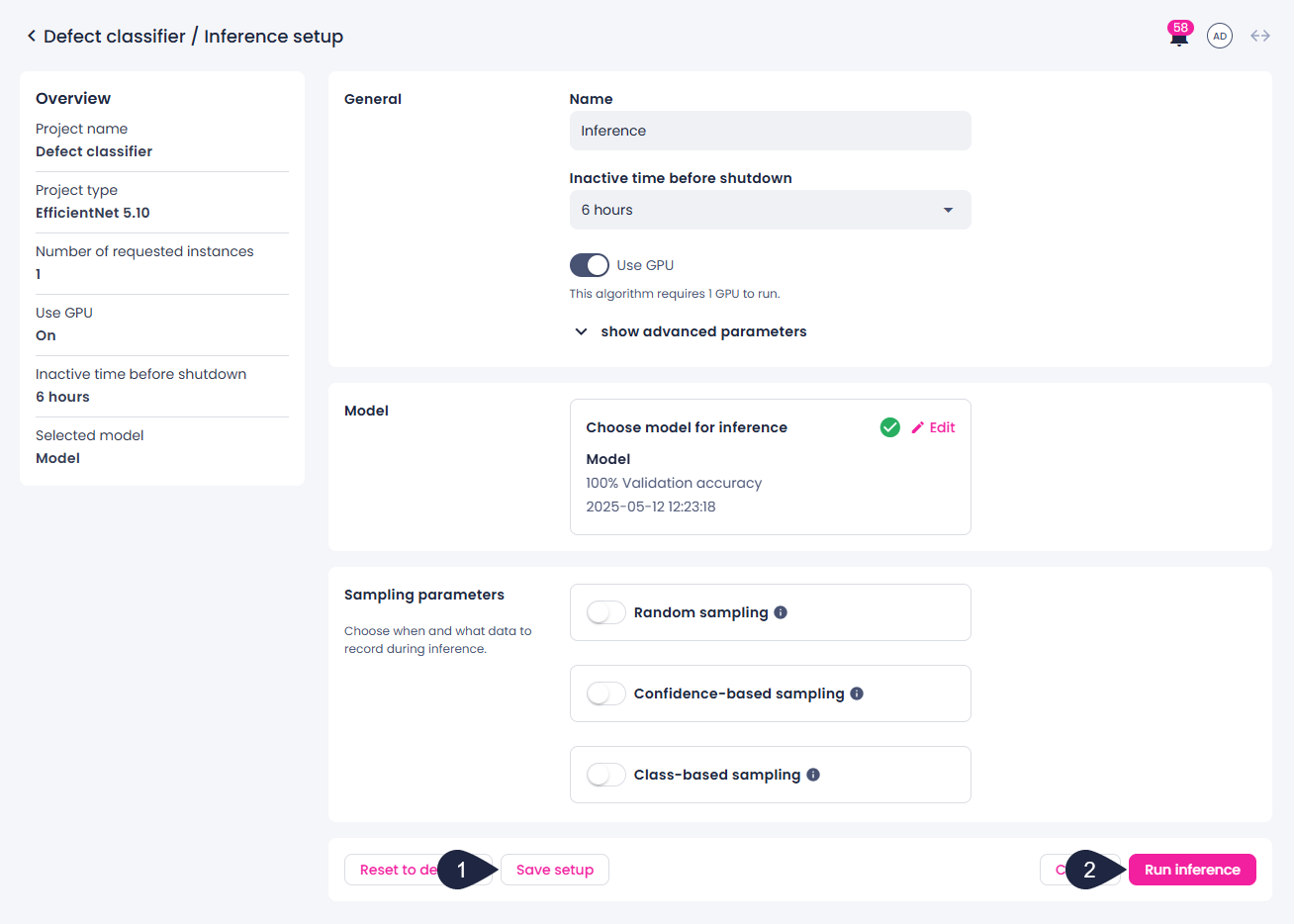
On the Inference setup page, change the needed parameters:
- Inference name.
- Shutdown time for the inference.
- Whether to use GPU.
- Number of requested instances.
- Camera selected for inference (available only for camera inferences).
- Model used for inference.
- Other available inference parameters.
- Webhook parameters (available only for camera inferences).
-
Save your changes by doing one of the following:
- To save the inference setup, click Save setup (1).
- To save the setup and start the inference, click Run inference (2).