Export inference setup to agents
You can export an inference setup with its model to a local storage or a connected Robovision AI platform (agent). To export to a connected platform, ensure the agent is connected and the agent status is Idle.
Note
To successfully perform data import and export operations in Robovision AI, ensure the following:
- Use a Chromium-based browser (Google Chrome, Microsoft Edge, and more).
- The Robovision AI URL must contain https or be added to the list of secure websites (see Configure your browser).
To export an inference setup to agents
-
On the menu, go to Topology.
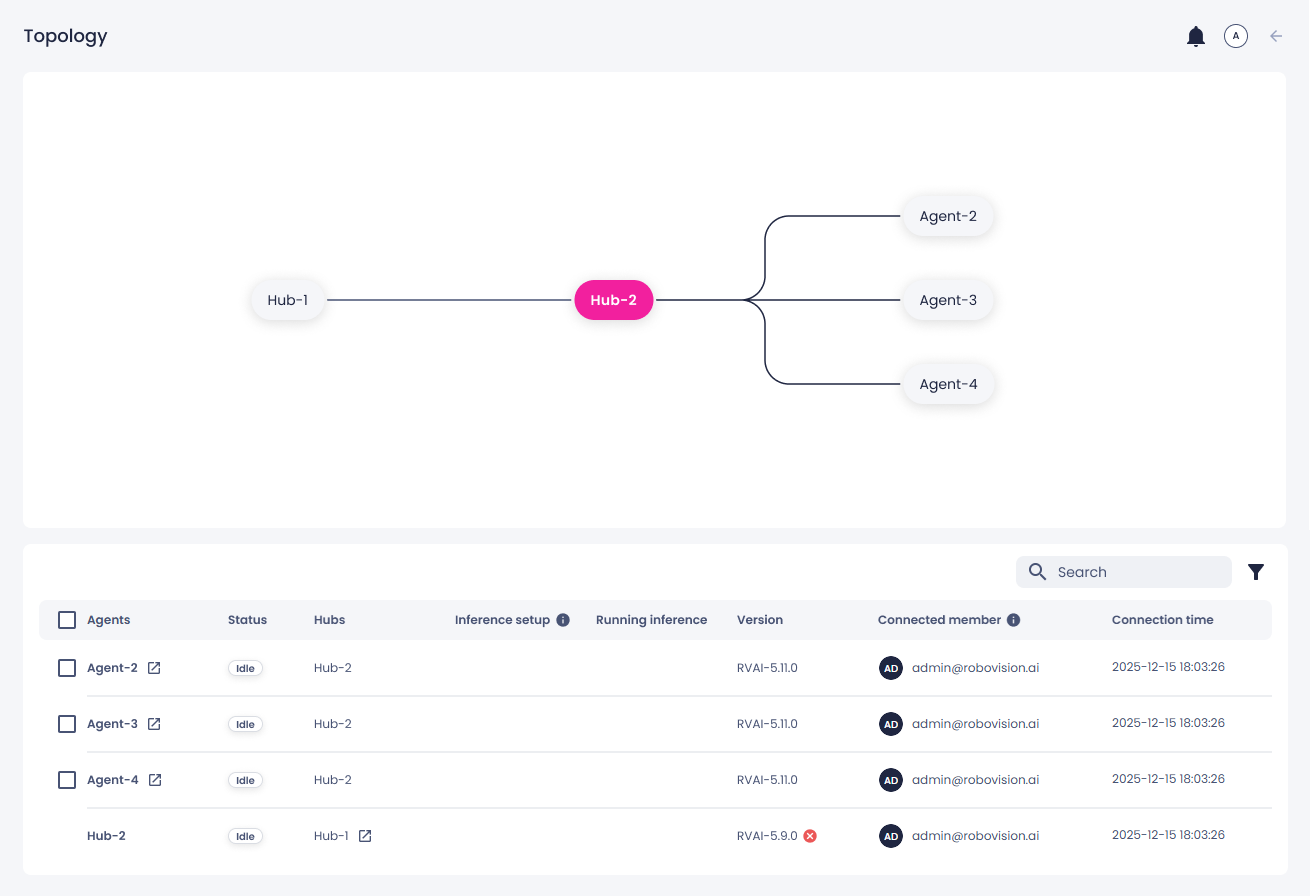
The hub–agent topology displays all connected platforms. In the topology diagram, your platform is highlighted in pink (the color may vary depending on your branding settings). Hover over a hub or agent to view its details. The same information is also available in the list of connections below the diagram.
-
From the list, select one or more agents to which you want to export your inference setups.
-
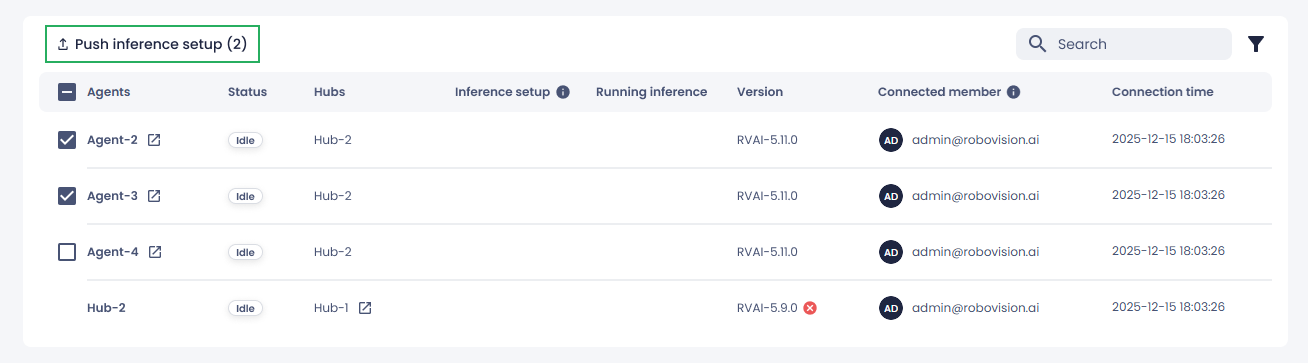
On the toolbar, select Push inference setup.
The number in brackets next to Push inference setup indicates how many agents are selected.
-
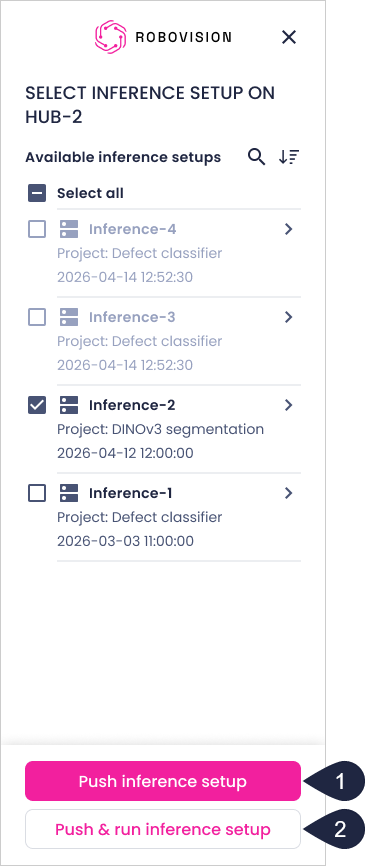
In the sidebar, select inference setups to export, and then select one of the following:
- To export the selected inference setups to the chosen agents without starting them, select Push inference setup (1). You can run the inferences later on the agents where the setups were exported.
- To export one inference setup and start running it immediately on the selected agents, select a single inference setup in the sidebar, and then select Push & run inference setup (2). This option applies only when exactly one inference setup is selected. You can't push and run multiple setups at once.
Note
The export list shows all inference setups from the hub. Inference setups that have already been pushed to the selected agent appear as disabled and cannot be selected, preventing failed push attempts.
-
To stop the export, in the list of connected platforms, click the stop button (
 ), and then, in the confirmation dialog, click Confirm.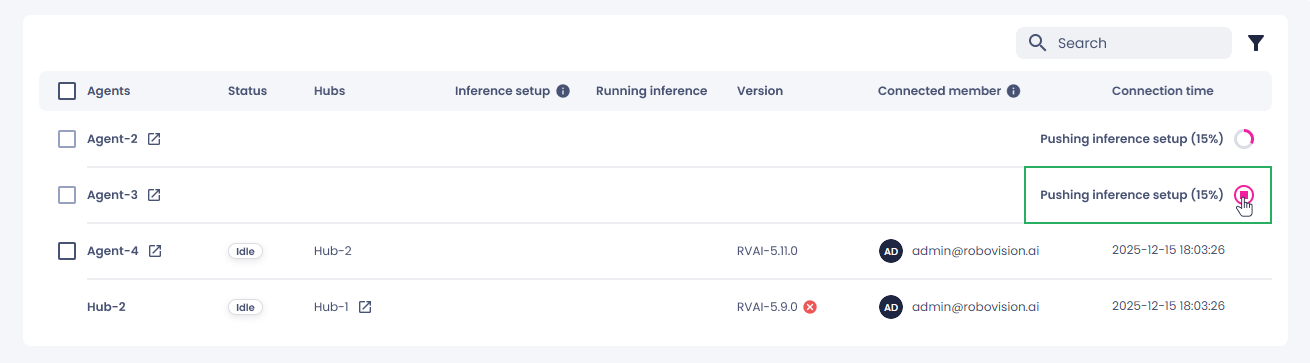
When the export is completed, you receive a notification. The inference setup then appears in the list of inferences on the selected agents.
On the agent, a project is created with the exported inference setup. All inference setups that use the same algorithm are stored in a single project. The first push for an algorithm creates the project. Subsequent pushes add inference setups to the existing project instead of creating a new one. A project isn't created, and an inference setup isn't exported, if the required algorithm isn't installed on the agent.
You can now start your inference from the hub or the agent.