Export inference setup to local storage
You can export an inference setup with its model to a local storage. This way, you can copy an inference setup from one Robovision AI platform to another. For other options, see Transfer inference setups.
Note that for camera inferences the camera configuration won't be exported.
Note
To successfully perform data import and export operations in Robovision AI, ensure the following:
- Use a Chromium-based browser (Google Chrome, Microsoft Edge, and more).
- The Robovision AI URL must contain https or be added to the list of secure websites (see Configure your browser).
To export an inference setup to a local storage
- Go to the Projects module, and then click the name of the necessary project.
-
Open all inferences by clicking the right-arrow button (
 ) in the needed section:
- Inference center section – for API inferences.
- Camera inference center section – for direct camera inferences.
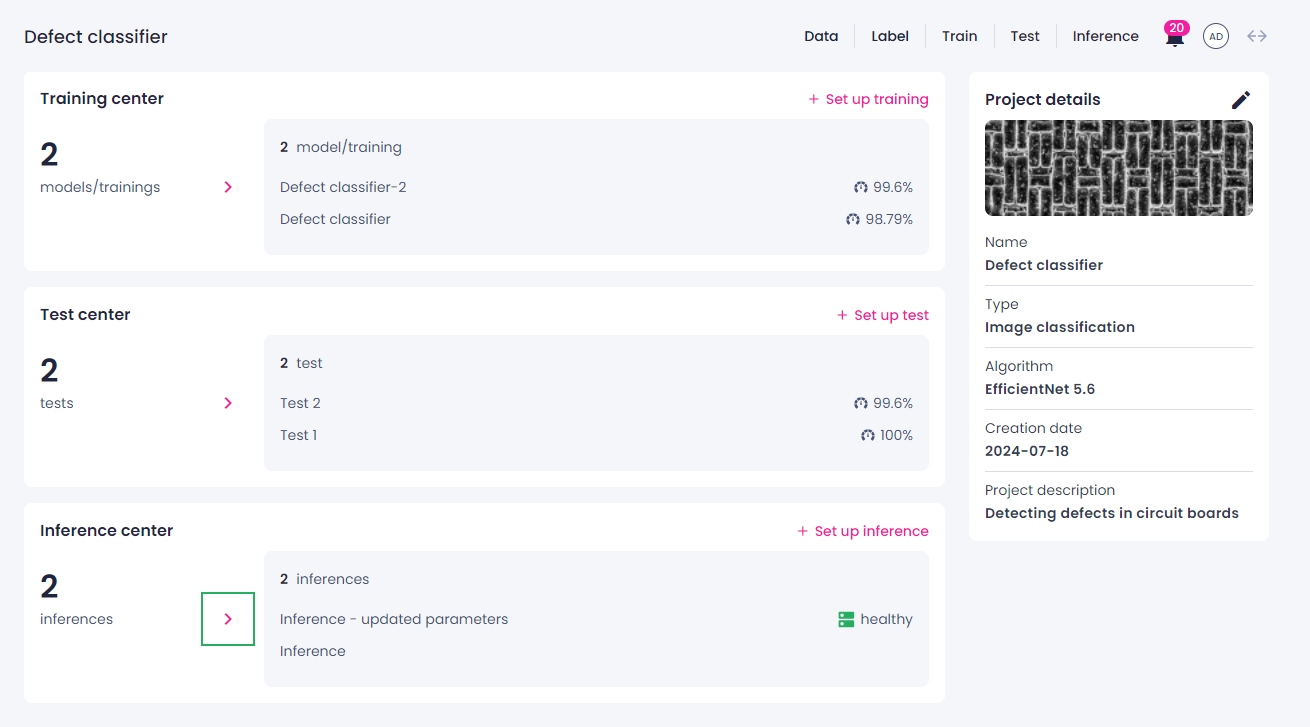
-
On the inference details page, locate the needed inference.
-
Next to the inference name, click the ellipsis button, and then select Export inference setup.
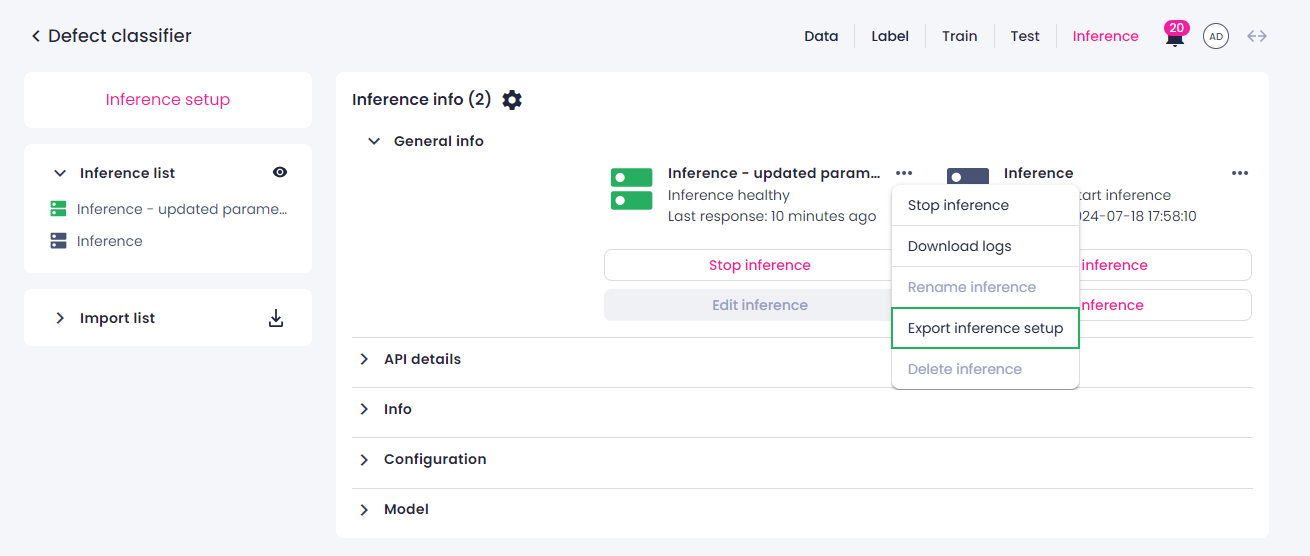
Alternatively, you can export an inference setup directly from the project details page. For this, click the ellipsis button next to the needed inference, and then select Export inference setup.
-
Select the location where you want to save the inference setup. You can select an existing empty folder or create a new one.
-
In the Let site edit files dialog in your browser, click Edit files.
If the selected folder isn't empty, you are prompted to create or select an empty one.
The inference setup is exported as a compilation of files. While the export is ongoing, you can continue using the platform. You can track the progress on the inference details or project details page.
-
To stop the export, click the stop button (
 ), and then, in the confirmation dialog, click Confirm.
Note
When you stop the export, the data that was already exported gets deleted. However, if you close the tab in your browser or refresh the page during the ongoing export, you will be able to resume the export. In case of connection issues, the export will resume automatically once the connection is restored.
When the export is completed, you will receive a notification. You can now import the inference setup into another Robovision AI platform.