Manage transferred inference setups
After you export inference setups from the hub to agents, start and stop inference from either the hub or the agent.
Where you start inference determines where you manage it.
If you start inference on the hub, manage it only on the hub. You can't stop or control it from the agent.
If you start inference on the agent and then stop it on the hub, use only the hub to manage that inference afterward.
Note
On the agent, you can't delete a pushed inference setup or the project that contains transferred setups from the UI. To remove them, use the Robovision AI SDK.
You can't start an inference in the following cases:
- The hub doesn't have any inference setups.
- The inference is in a failed state.
To start inference from the hub
-
Verify that inference setups are exported to the agent.
In the list of connections, check the Inference setup column. If only one inference setup is exported to the agent, its name is displayed. If multiple inference setups are exported, a number is shown instead—hover over the number to see the setup names.
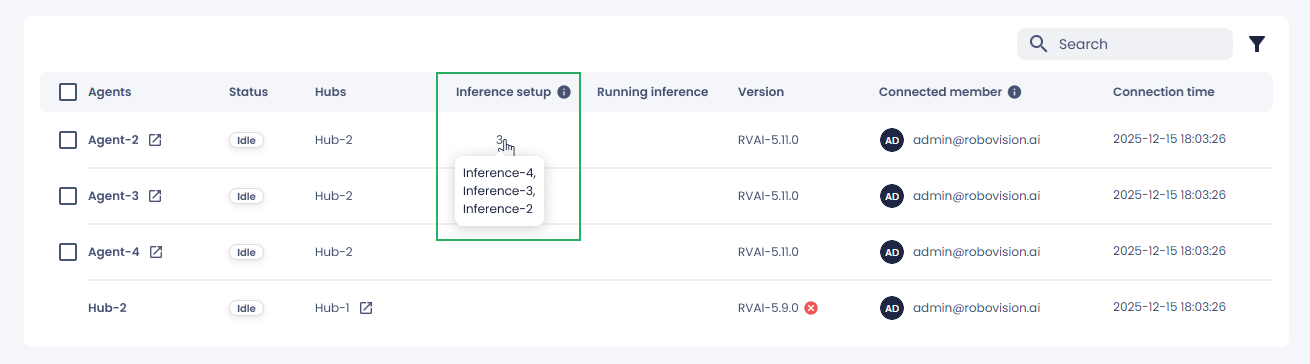
To export setups to agents, see Export inference setup to agents.
-
To see the list of inference setups on the hub, in the Connected from column, select the platform name.
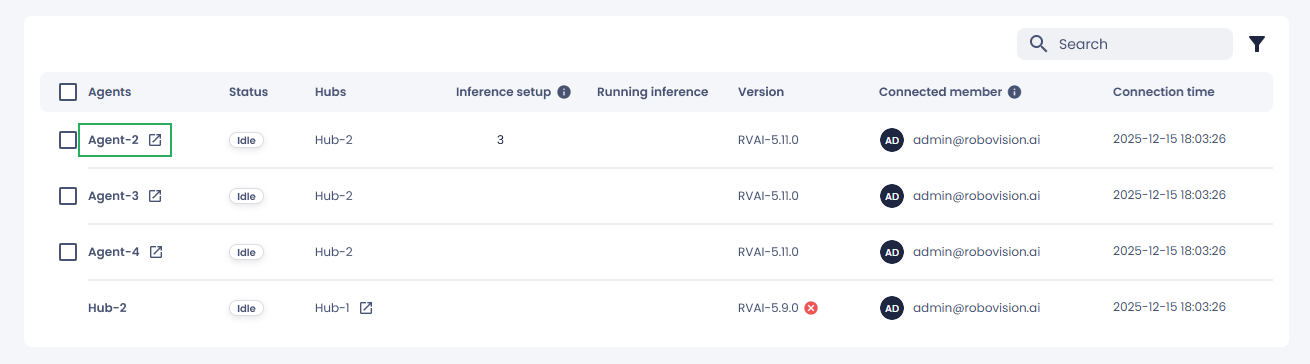
The list of inference setups on the hub appears.
-
In the sidebar, select an inference.
-
Click Start inference.
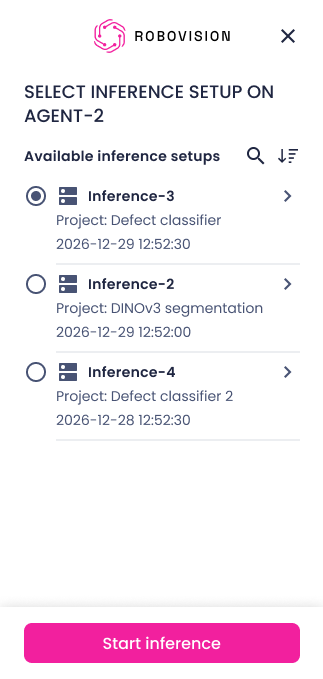
Alternatively, next to the agent, click the ellipsis button, and then select Start inference.
You can view the following information about your inferences:
- Status – The inference status on the agent (running or failed).
- Inference setup – The inference setups that were pushed to the agent.
- Running inference – A link to the inference currently running on the agent.
You can also start inference from the project on the agent where the setup was exported.
To stop inference
- In the list of connections, next to the agent with the running inference, select the stop icon.
Note
Once you start or stop an inference from the hub, you can no longer control it from the agent.