Model testing
Glossary
Test is a process of evaluating a model.
Once your model is trained, you can test your model in the test center. You may want to test your models for one of the following reasons:
- See how a new model will perform compared to an older model.
- Test a model against new data, so that you can see the model predictions on new data.
- Select the wrong predictions from the test data, so that it can be re-labeled.
- Test a model against different lighting scenarios, so that you can ensure the model will perform as intended with different lighting.
- Check the class distribution, so that you can see if the test data is balanced.
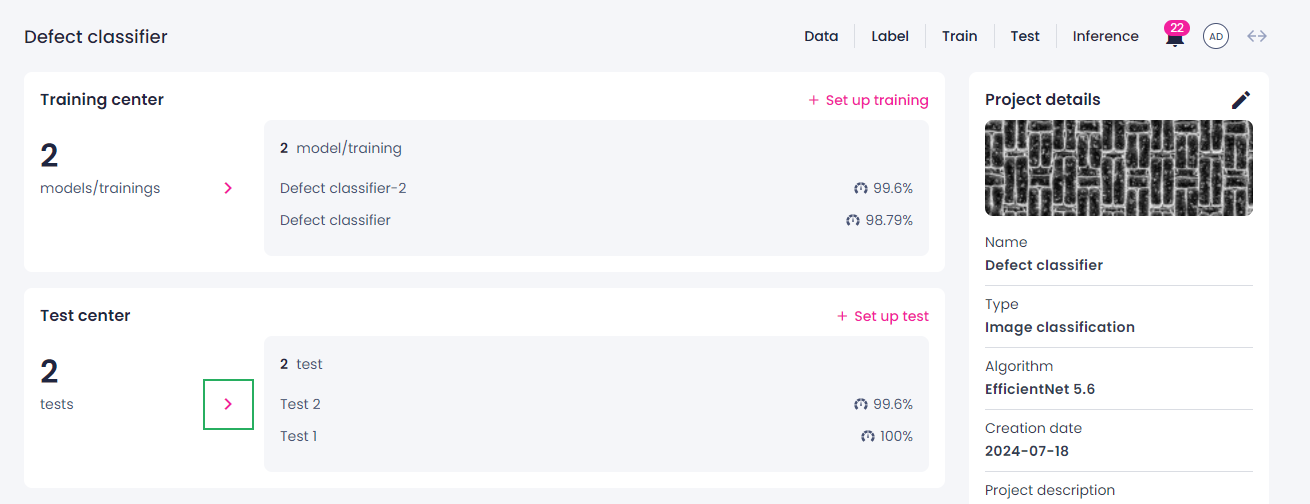
The list of all tests in a project is displayed on the project details page. To view all tests, click the right-arrow button ( ) in the Test center section.
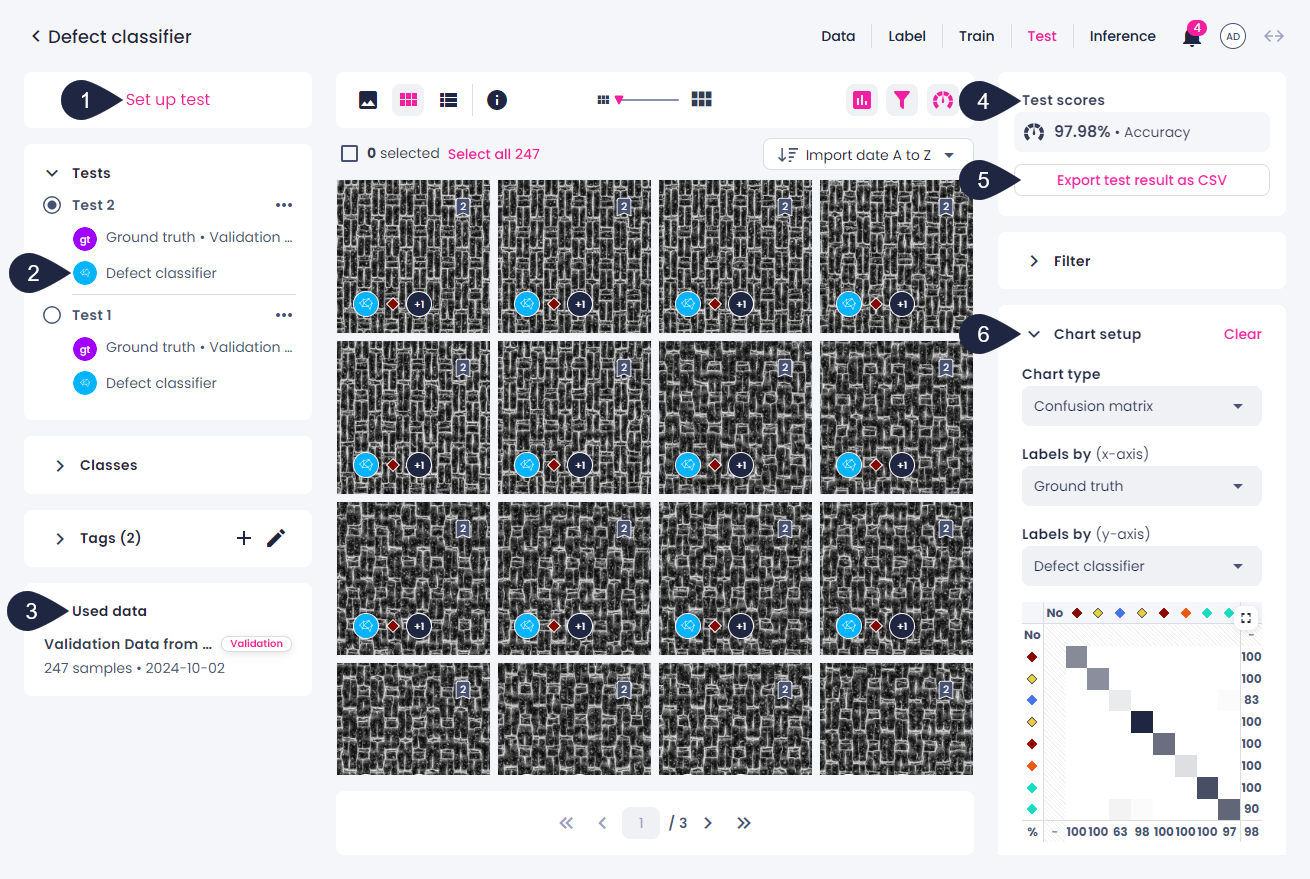
The test center opens. Here, you can do the following:
- Initiate a new test by clicking the Set up test button in the upper-left corner (1).
- View the model (2) and data (3) used for each test.
- View test scores (4) and export test results as a CSV (5).
-
Analyze test results by using charts (6).
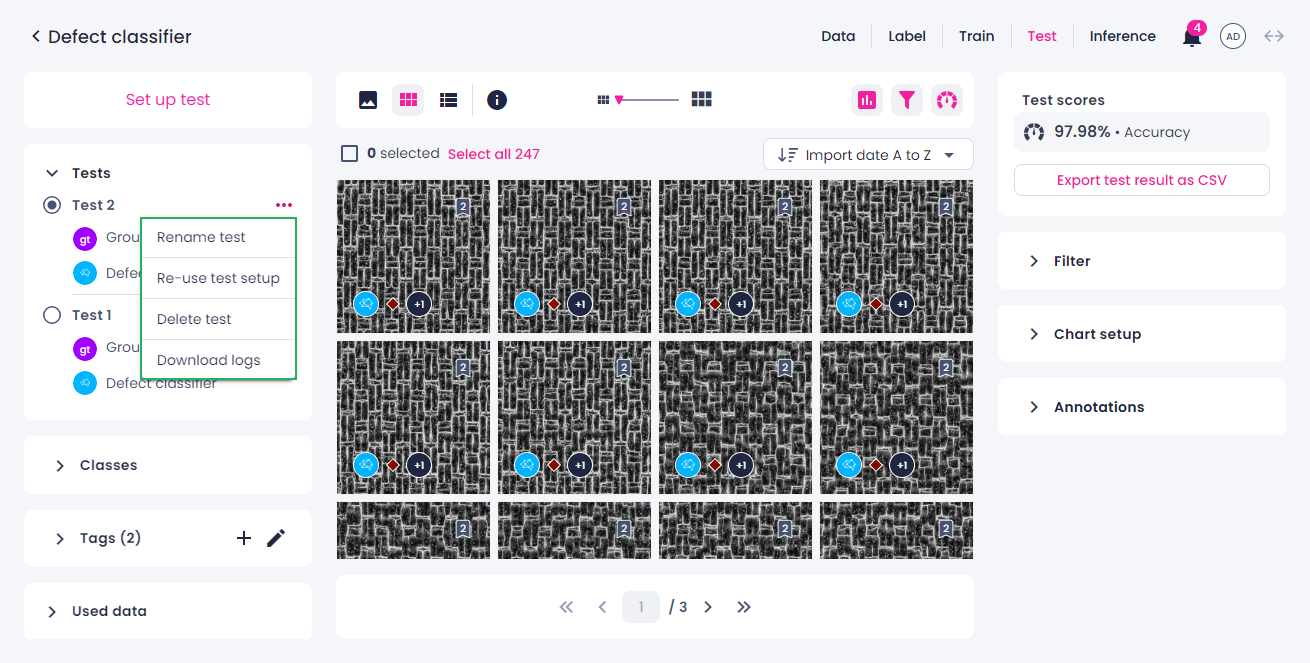
Next to each test, you can click the ellipsis button and do the following:
- Rename the test.
- Reuse the test setup.
- Delete the test.
- Download logs.
Test result CSV export
You can export test results as a CSV file similar to the list view. This file lists all samples, tags, imports, and classes present in the test. It records the number of labels, masks, or bounding boxes for each class per sample.
The CSV is generated at the same time as the test, capturing the tags and other details exactly as they were at the time when the test was run.
This export is available only when the test involves the following sources:
- Dataset vs. model: When a dataset is used as the ground truth and is compared against a model's predictions.
- Model vs. model: When a tag or import is used, and predictions from two different models are compared.