Delete projects
You can delete projects one-by-one on the projects overview page. You can delete a project even if it has running processes or its datasets are used in another project.
Warning
There is no way to recover a deleted project. If you accidentally delete a project, you'll need to recreate your imports, datasets, models, and other project components from scratch.
To delete a project
- Go to the Projects module.
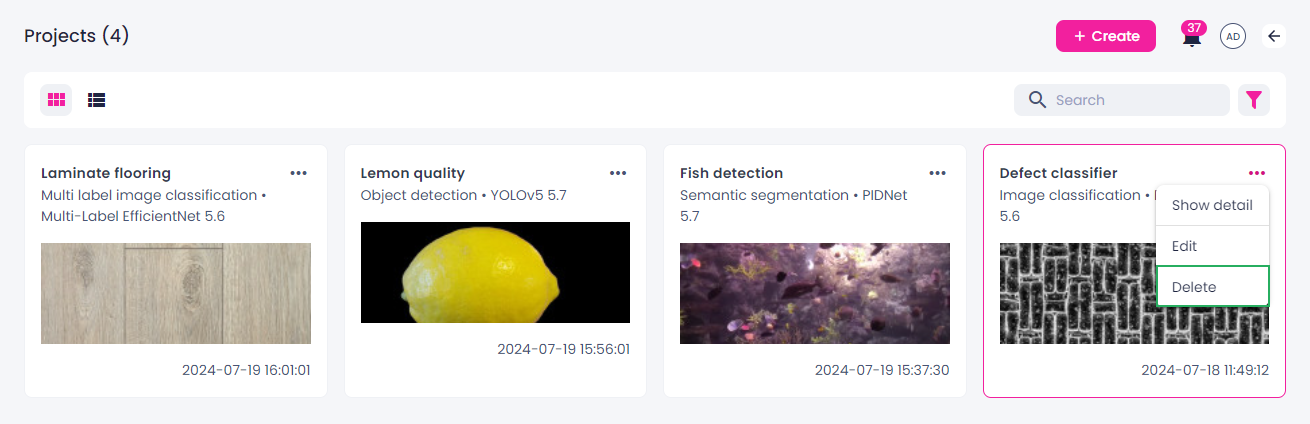
- Click the ellipsis button on the thumbnail of the project that want to delete.
-
Select Delete.
-
In the confirmation dialog, click Delete.