Algorithms and algorithm extensions
You can manage the algorithms and algorithm extensions installed on your Robovision AI platform in System > Settings. Here, you can delete the algorithm or the algorithm extension that you no longer need.
Project type and algorithm
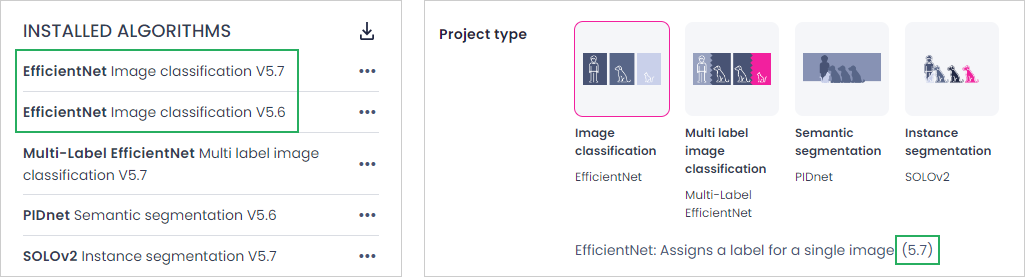
When you create a new project, you need to select the project type with the corresponding algorithm:
-
Image classification:
- EfficientNet
- AI-ADC EfficientNet
-
Multilabel classification: Multi-Label EfficientNet
- Object detection: YOLOv8+
- Instance segmentation: YOLOv8+
- Semantic segmentation: PIDNet
Note
YOLOv8+ is the standard algorithm for object detection and instance segmentation. However, your Robovision AI instance may also include the YOLOv5 and SOLOv2 algorithms for backward compatibility.
Algorithm extensions
Algorithm extensions enhance the functionality of existing algorithms by providing additional capabilities.
The OPC-UA algorithm extension integrates OPC-UA protocols with your camera inference system, enabling two key features:
Versioning
Each algorithm and algorithm extension has a version. It is a combination of numbers such as 5.7 where:
-
5stands for the major version.Glossary
Major versions typically introduce significant changes that might not be compatible with previous versions. In version numbering, a major version is indicated by the first number.
-
7denotes the minor version.Glossary
Minor versions usually involve smaller updates that are backward-compatible with the major version. For example, if an algorithm is updated from version 5.7 to 5.8, it generally means that improvements have been made without changing how the algorithm fundamentally works. The minor version is represented by the second number in version numbering.
It may happen that several minor versions of the same algorithm are installed on a Robovision AI platform. In this case, when you create new projects, only the most recent minor version is available.