Delete algorithms
You can delete the algorithms that you no longer need on your platform and that aren't in use anymore. If there are any running or queued processes that use an algorithm version, you won't be able to delete it.
Note
All projects that use the deleted algorithm version will have limited functionality. You can no longer upload new data or start new processes (training, testing, inference, and more) in such projects. However, you can still use tags, create datasets, and export inference setups and samples as needed.
To delete an algorithm
- On the menu, go to System > Settings.
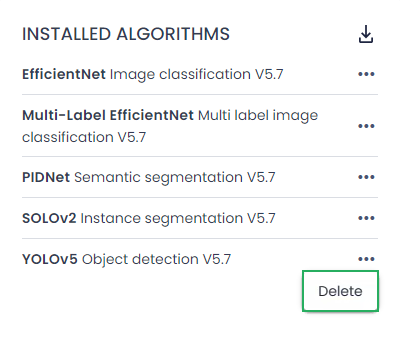
- In the Installed algorithms section, next to the algorithm that you want to delete, click the ellipsis button.
-
Select Delete.
-
In the confirmation dialog, click Confirm.
The algorithm version is now deleted. All projects that use this algorithm version now have limited functionality.