Change brand assets
You can customize your instance of Robovision AI to match your brand's look and feel.
To change brand assets
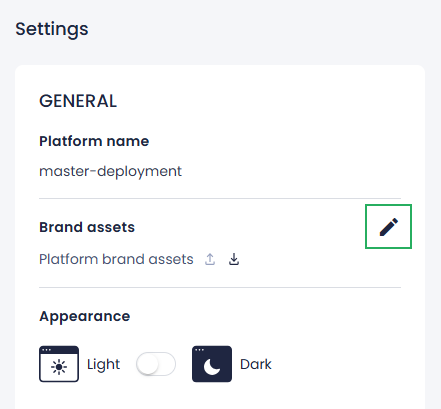
- On the menu, go to System > Settings.
-
In the Brand assets section, click the edit button.
-
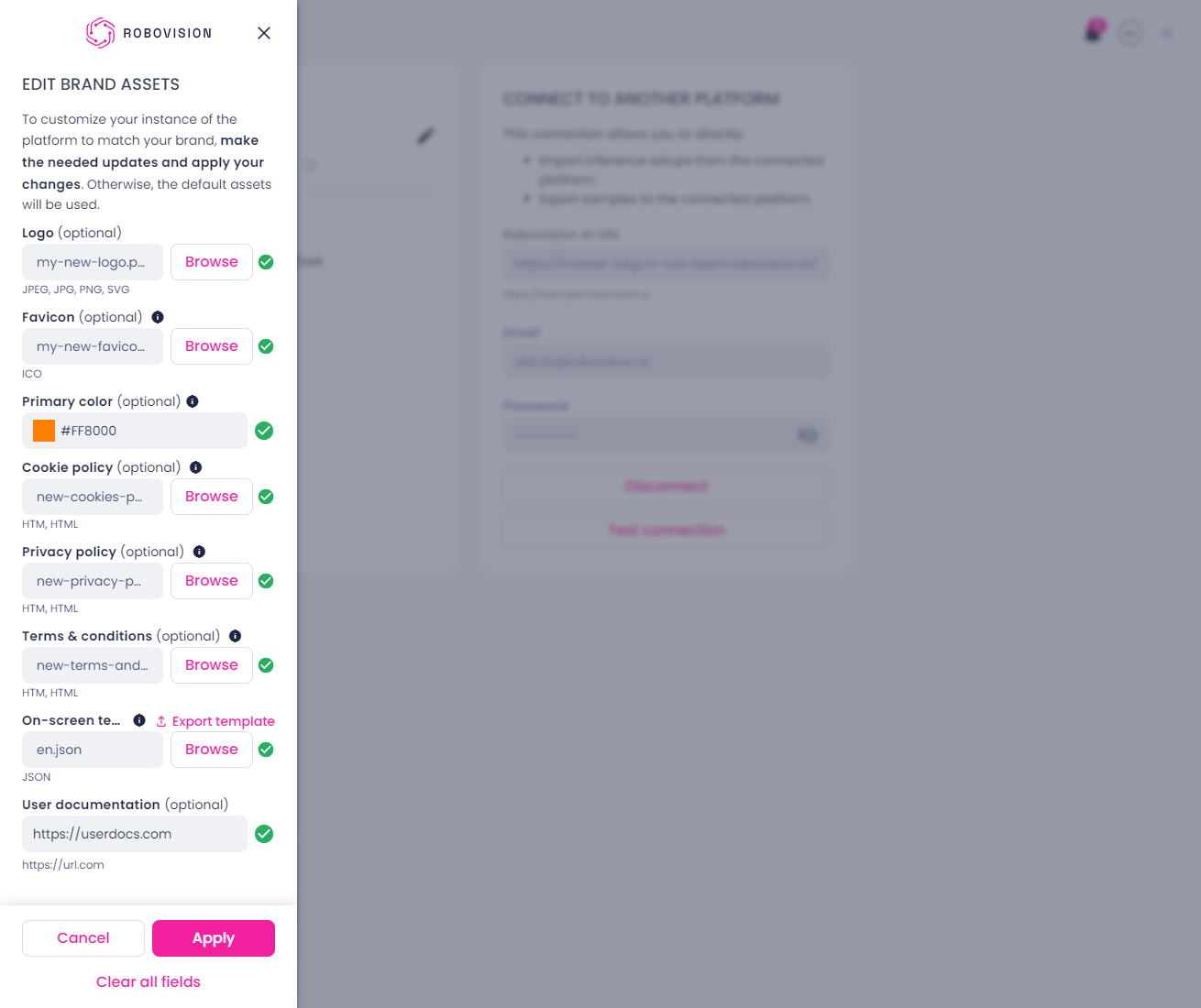
In the Edit brand assets sidebar, make the needed changes. To upload a file, click Browse or drag the file to the gray area under the needed field.
-
Upload a new logo.
The optimal resolution is 136 × 40 px. If your logo is larger, it will be automatically resized. The optimal aspect ratio for the logo is 3.4:1.
-
Upload a new favicon in the ICO format.
The optimal resolution is 64 × 64 px. If your favicon is larger, it will be automatically resized. The optimal aspect ratio for the favicon is 1:1.
-
Select a new primary color for the light theme.
- Upload new files with the cookies policy, privacy policy, and terms and conditions.
-
Edit UI text:
- Next to On-screen text, click Export template.
-
In the JSON file, make the needed changes.
For example, replace all occurrences of Robovision AI with a new product name.
Note
If you use any special characters (
{ },@,$, and|), make sure to enclose them in braces and single quotation marks. For example, an email address needs to be entered assupport{'@'}youremail.com.You can customize all texts except for:
- Descriptions of project types.
- Names of member roles.
- Names of training, model, and inference parameters, as well as the names of training metrics.
- Names of some user interface elements in the label and test center.
-
Upload the updated JSON file.
Tip
After upgrading to a new version of Robovision AI, download the JSON file with UI text and check if anything needs to be customized.
-
Add a link to custom user documentation.
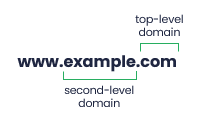
The second-level domain must be at least 1 letter in length, and the top-level domain – at least 2 letters.
Note
If any of the brand assets is not updated, the current one will be used.
-
-
To start afresh, click Clear all fields at the bottom of the sidebar.
-
To save your changes, click Apply.
The look and feel of your Robovision AI platform is now customized. If needed, you can export brand assets and use them in another Robovision AI platform. You can also go back to the default brand assets.