Delete cameras
You may delete cameras and emulators that you no longer need or the cameras that have the Idle status.
Note
Cameras that are in use—with the In use status in the Status column—cannot be deleted.
To delete a camera
- On the menu, go to System > Camera management.
- Go to the Cameras tab.
- Hover over the necessary camera.
- Click the ellipsis button.
-
Select Delete.
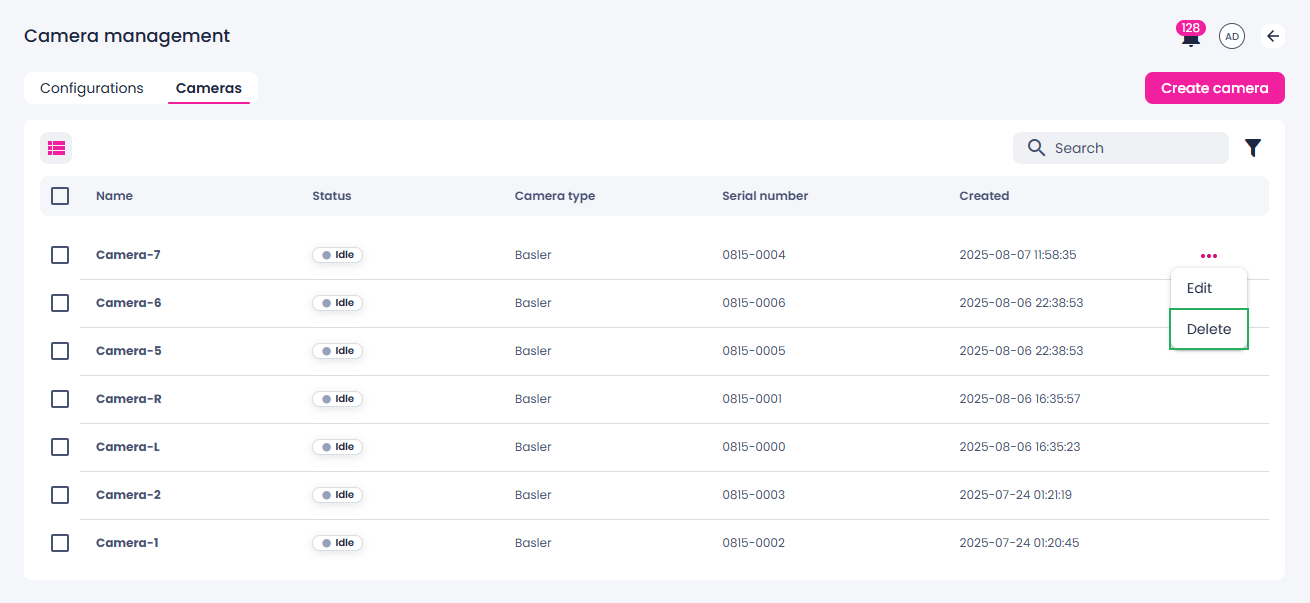
Alternatively, you can select the checkbox next to the camera that you want to delete, and then click Delete on the toolbar.
-
In the confirmation dialog, click Confirm.
The camera setup is deleted from the list of cameras and from the project where it has been used.