Update platform name
Keeping platform names accurate and up to date helps ensure the topology remains easy to understand, maintain, and navigate. Because the topology displays all hubs and agents in a tree structure, clear naming directly improves the usability of the graph. You may also want to update your platform name if the structure of your topology changes or if the current name no longer reflects its purpose.
To update your platform name
-
On the menu, go to System > Settings.
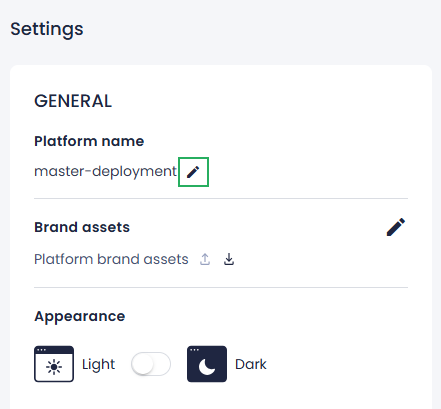
In the General section, you can view your platform name.
-
Hover over the name, and then click the edit button.
-
Edit the project name.
- Press Enter.
The platform name is updated on the Settings page and in the hub-agent topology.